
Reuse Props Between Holidays: Halloween to Christmas

You can reuse many props between holidays by splitting the job in two. The physical part is the prop, its mounting and its wiring, which stays put if it suits both seasons. The creative part is the choice of sequences and the playlist. The colors and effects depend on the sequences you choose. With an animated RGB display, an outline of your roofline or a neutral prop can go orange and purple for Halloween, then red, green and white for Christmas. The hardware stays where it is.
This guide covers which props carry over, how to confirm compatibility, how to swap the look and the music, and how to store or retire what you no longer use.
Physical reuse and changing the show are two separate jobs
Most advice on reusing decorations focuses on swapping objects. Good Housekeeping, for example, suggests refreshing a wreath with different ribbon, stems or ornaments you already own. The idea is to keep a neutral base and change the accent layer.
Animated lighting works the same way, with one advantage: the accent layer is color and motion, so you don’t have to swap anything by hand. Keep these two jobs apart:
-
Physical reuse: the prop stays mounted, powered and connected. You only check that it is safe and secure.
-
Changing the show: you select seasonal sequences and update the playlist. Physical inspections and any mounting changes still need to be done.
Keeping them apart tells you where to spend effort. A roofline outline you installed once can work for both holidays. A prop with a strong theme, such as a pumpkin character or a candy cane, belongs to one season, and that is fine.
Which props suit both Halloween and Christmas
Props that read as shapes rather than characters are your best candidates. Think of:
-
Roofline and window outlines. They trace the house, so they look right in any color.
-
Arches and fence-line props. Arches work in purple and green, then red and white.
-
Mega tree or cone-style props. A tree-shaped form can look like a spooky spiral in one season and a Christmas tree in the next.
-
Stakes and neutral ground props. Simple geometric forms recolor easily.
We can’t promise that every prop suits both holidays, and no sequence uses every prop in your layout. Check each prop’s listing on our Plug and Play Props page, then confirm its mounting and exposure instructions before you decide it can stay up.
The same logic appears in general decorating advice. Hunker notes that blue, white, silver and gold pieces cross over more easily than overtly red-and-green items. Neutral forms plus flexible color give you the most mileage.
For more ideas on how prop types differ, see our guide to plug-and-play holiday light types.
Confirm compatibility before you plan the swap
Before you commit to a two-holiday layout, run through this list:
-
Prop compatibility. Confirm that each prop works with the controller and sequence type you plan to use. Check the prop’s product page rather than assuming.
-
Mounting. Read the mounting instructions for the prop. A prop placed for Halloween may sit in a spot that is wrong for a snowy December, such as under a gutter that sheds snow.
-
Exposure. Not every setup can stay outdoors year-round. Check what each prop is rated for and bring in anything that isn’t meant for long exposure.
-
Ports. The layout designer tracks available ports as you add props and flags when another controller is needed. If you add a Christmas-only prop on top of your Halloween layout, watch for that flag.
-
Sequences. Sequences and matching music are sold separately, so decide which ones you want for each holiday.
Our guide on layout tips for families walks through planning a layout so you don’t have to redo it each season.
How to change the palette and playlist
When the existing props and installation suit both seasons, you can update the show without replacing that equipment.
-
Keep your layout. Your props stay in the layout you built in the designer from a photo of your home.
-
Add the new sequences. Pick Christmas sequences that fit the props you actually have. Browse RGB sequences and note that a sequence may use only some of your props.
-
Generate the show. EZSequence builds a sequence from your layout, so the effects are matched to the props you placed.
-
Sync with EZPlayer. EZPlayer cloud sync downloads and configures updated shows and guides prop connections. If you add a prop, it tells you how to connect it.
-
Edit the playlist. In EZPlayer you schedule songs, sync your purchased EZRGB songs and change what plays. Move Halloween tracks out and Christmas tracks in.
Keep the show computer connected as required for EZRGB cloud setup and updates, and follow the EZPlayer connection guide for the wired controller network. Do not assume that changing the playlist changes the physical wiring.
For a fuller walkthrough of the setup, read our animated holiday display setup guide.
Practical palette examples
-
Roofline outline: orange and purple pulses in October, then warm white with red and green chases in December.
-
Arches: green and purple in a slow sweep for Halloween, then candy-cane red and white for Christmas.
-
Neutral tree-style prop: a flickering ghostly white in October, then a full multicolor tree at Christmas.
The same hardware looks different because the sequence tells it what to do. We cover this idea in why color-changing lights suit holidays year-round.
Inspect before you re-energize
A prop that has been up since October needs a look before the Christmas show. This Old House recommends regular maintenance on outdoor decorations: check for loose connections or damaged wires, clean off dirt, debris and moisture, look for rust or material wear, and replace damaged components promptly.
A quick pass before the swap:
-
Disconnect power before inspecting or handling cables and connectors. Look for damage and follow the equipment instructions.
-
Wipe each prop clean and let it dry.
-
Check that mounting hardware is tight. Our guide to securing outdoor holiday props covers the details.
-
Power up and run the new show before dark so you can spot dead sections.
Storing what you take down
Some props won’t be part of the next holiday. Store them so they are ready next year. Ark Self Storage advises photographing how large props connect and bagging and labeling bolts, pins and stakes with the matching prop. Sterilite suggests coiling lights and garlands, using sturdy plastic containers and putting heavier items beneath fragile ones.
For a light show, add these habits:
-
Label cables and controller ports by prop name.
-
Keep a note of which sequence used which props.
-
Follow a full takedown routine, such as our Christmas light show teardown checklist.
Plan for the next holiday
A reusable display starts with an adaptable layout that can be refined over the years. Keep a record of prop locations and connections, then choose seasonal sequences suited to those props. Inspect the installation before starting a new holiday show.
Start with the right props
If you are planning a display you can carry from one holiday to the next, start with the pieces that adapt best. Our plug-and-play kits list the included equipment and extensions, with mounting hardware chosen separately for your home, and our RGB lights work for outlines.
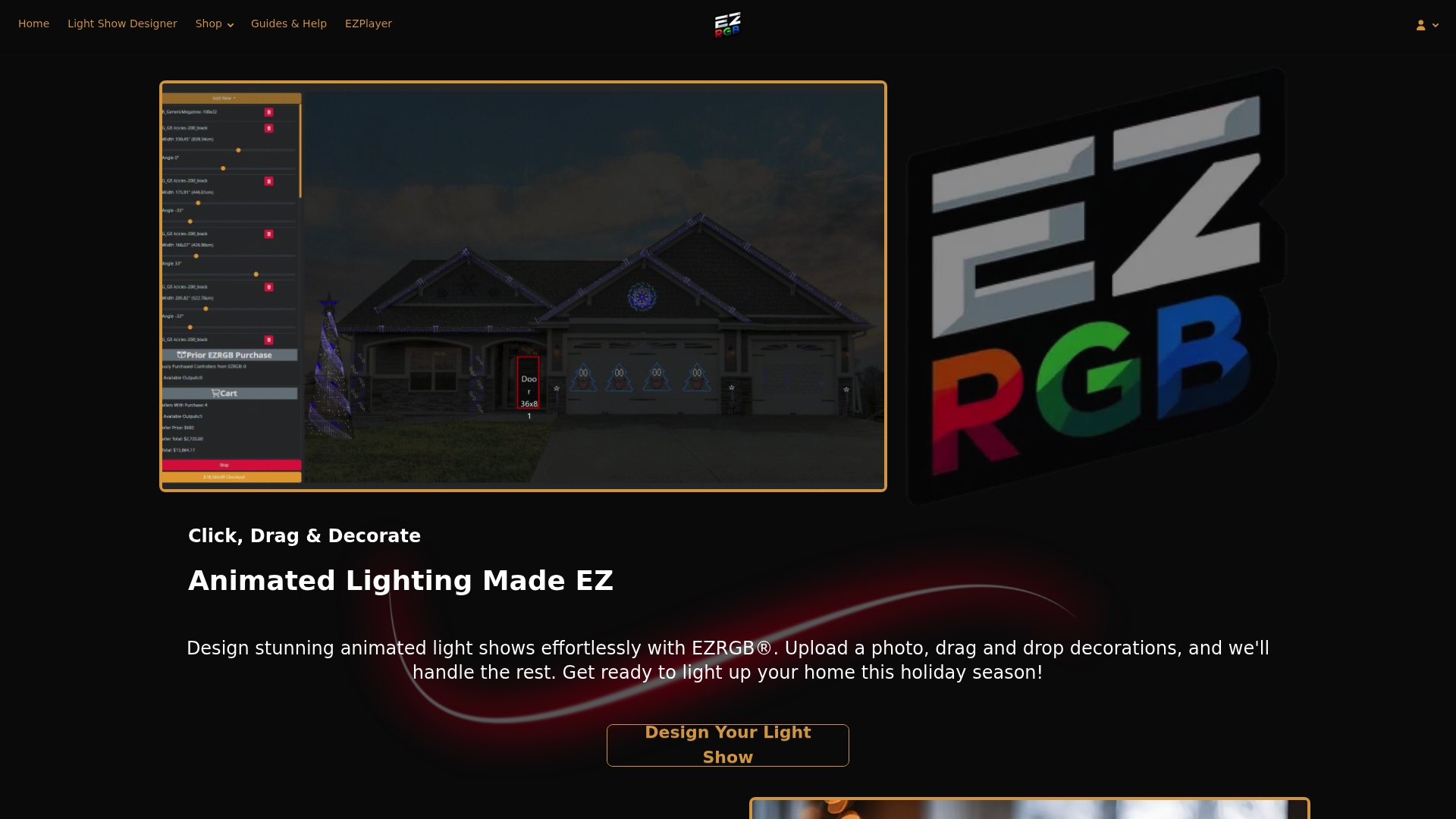
Upload a photo of your home to the design platform, arrange the props, and preview the result before you buy. Sequences and matching music are sold separately, so you can add them one holiday at a time.
Retiring props you no longer use
If a decoration is past its useful life, you have options. Keep America Beautiful suggests donating usable décor to community centers, schools or charities. The Spruce cautions that damaged wiring should not be donated because of fire and safety concerns, so keep anything with electrical damage out of the donation box.

FAQ
Can I leave my props up between Halloween and Christmas?
Sometimes. It depends on each prop’s mounting and exposure instructions, so check them before you decide. Not every setup is meant to stay outdoors year-round. Inspect connections and mounting before you start the new show.
Do I need new props for every holiday?
Not necessarily. Neutral outlines and simple shapes can carry across holidays when you change the palette and playlist. Themed props suit one season better, and no sequence uses every prop in a layout.
Will I need another controller if I add props?
Possibly. The layout designer tracks available ports as you add props and flags when another controller is needed. You can see this while planning, before you buy.
How do I update the music for the new holiday?
Use EZPlayer to sync your purchased EZRGB songs and change what plays. Cloud sync downloads and configures updated shows and guides prop connections. Sequences and matching music are sold separately.
Sources
-
8 Smart Ways to Reuse Old Holiday Decorations, Good Housekeeping
-
Hosting a New Years’ Party? Quick Tips to Switch Your Decor, Hunker
-
How To Weatherproof and Protect Your Outdoor Decorations, This Old House
-
Halloween Decor Storage and Post-Party Cleanup Guide, Sterilite
-
Greening the Season: What to Do With Post-Holiday Decor, Keep America Beautiful
